My Productivity
The apps, systems, and philosophy behind how I organize work and life — and why I stopped optimizing for productivity itself.

Last updated: March 5, 2026
This isn’t a productivity system post. I am not a productivity guru.
I have tried every todo app, time blocking, strict schedules — and the result was always the same for me: productivity became the hobby instead of the output. I spent more time managing the system than doing the work.
Now I keep it simple. A small set of tools, a flexible schedule, and a sprint-and-rest rhythm. Inspired by Naval Ravikant’s “live like a lion” philosophy. Sprint hard, rest fully, reassess, go again. Not a cow grazing all day. That mental model changed everything for me. Here’s Naval's idea that started it.
My wife and I homeschool our kids and I work from home. My schedule is built around family, trying to be there for meals, recitals, and games. That sounds nice on paper, but it only works if your tools stay out of the way and you protect your focused time ruthlessly.
Task Management: Things 3


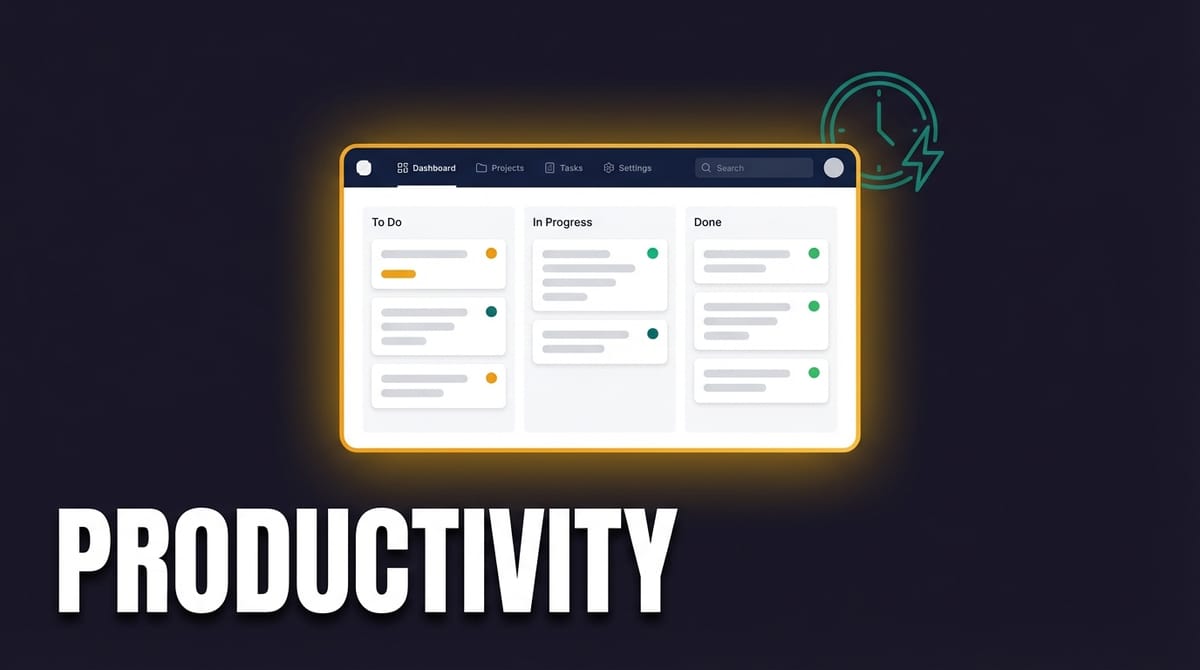
I use Things 3 across all Apple devices. Tasks get in via the share sheet, quick entry, or just opening the app. No elaborate setup, no contexts, no energy levels, no priority matrices. It’s a simple, reliable daily list.
I’ve tried every todo app in existence. OmniFocus, Todoist, TickTick, Apple Reminders, pen and paper. The best system is the one you actually use, and for me, right now, that is Things 3.
Notes: Obsidian
I’m a relatively new convert to Obsidian, but I’m not using it the way most people do. My main use case is shared memory with OpenClaw — my AI agent. OpenClaw reads and writes to an Obsidian vault, so it becomes a knowledge bridge between me and the AI.
I've been an Obsidian user in the past, and tried all the second brain "stuff". I installed all the plugins and tried to be the PKM king that I'm just not.
I’m keeping it vanilla this time around. No plugins, no overly complex folder structures. I’ve fallen into the Obsidian plugin rabbit hole before, and it’s the same trap as productivity apps — the setup becomes the hobby (same is definitely true with Notion). With AI, notes go out of date fast anyway. Obsidian is more of a working memory than a second brain.
Shared Lists: Apple Reminders & Notes
Shared grocery lists, family reminders, quick notes — Apple’s native apps handle the stuff that needs to be shared with my wife and kids. Simple, built-in, no extra accounts needed. Stock Apple apps are good and usually more than enough.
YouTube Workflow: Notion
Notion is the backbone of my YouTube operation. I've integrated N8N so it handles full analytics for every published video, a content calendar for future videos, sponsorship deal tracking with integrated ad assignments, and a sponsor CRM with contacts, creative briefs, and affiliate links.
I became a paid Notion member for Notion AI and Notion Mail, but I’m finding less use in both, since I'm spending more time with other AI coding tools.
I have plans to build a custom YouTube creator dashboard to replace Notion entirely.
Calendar & Time
I use Apple Calendar. I was a Fantastical user for years, but I don’t use calendars enough to justify the subscription. My calendar is mostly kids’ activities — practices, games, events.
I’ve never been good at time blocking or strict schedules. I’ve tried. It always falls apart within a week. Instead, I try to have a lenient temperament with myself while maintaining a natural drive to accomplish a lot. If today didn’t go as planned, tomorrow is a reset. The sprint-and-rest rhythm handles the rest.
Focus & Deep Work
I protect focused time physically, not digitally. Vision Pro plus AirPods Pro creates a complete bubble — visual and audio distractions are just gone. When I’m in the YouTube studio, my family knows not to interrupt.
No Slack. No work messaging apps. This is inspired by Cal Newport — async communication by default, synchronous by exception. iMessage is for friends and family only. Discord is only for OpenClaw agent communication. Email gets checked on my terms, not in real time. Actually Email is checked automatically by my AI script...
For mail clients, I use Apple Mail for personal & Gmail for work. I’ve built a custom AI script that reads email every 30 minutes, triages with tags, and drafts responses where needed. It runs headless — no interface yet, but I plan to build a GUI one of these days.
The goal is to never have email interrupt my focus. Email can be a real source of anxiety as the constant need to get back to people is real.
The script handles triage in the background, and I review what it flagged when I’m ready.
Browser: Safari
My browser of choice is Safari about 90% of the time. I use Chrome for the occasional compatibility issue. I love Safari for autofill 2FA codes, iCloud Tabs, Reading lists... the Apple ecosystem integration, essentially.
...and the fact that it doesn’t eat RAM like Chrome does.
Extensions I use:
- Accelerate — video speed control on any site
- Keepa — Amazon price tracking
- Mapper — opens map links in Apple Maps instead of Google
- Notion Web Clipper — saves pages to Notion for YouTube research
- PullTube — video downloads for research and b-roll
Productivity shouldn’t be the hobby. It should be the result of the effort. My results show I'm a productive person, not the apps in my dock.
The whole philosophy: keep your tools simple, protect your focused time, work in sprints, be around your family or fiends. For me, the best productivity system is the one that gets out of the way.