HelpLoom AppSumo: Live Chat + AI Support Widget
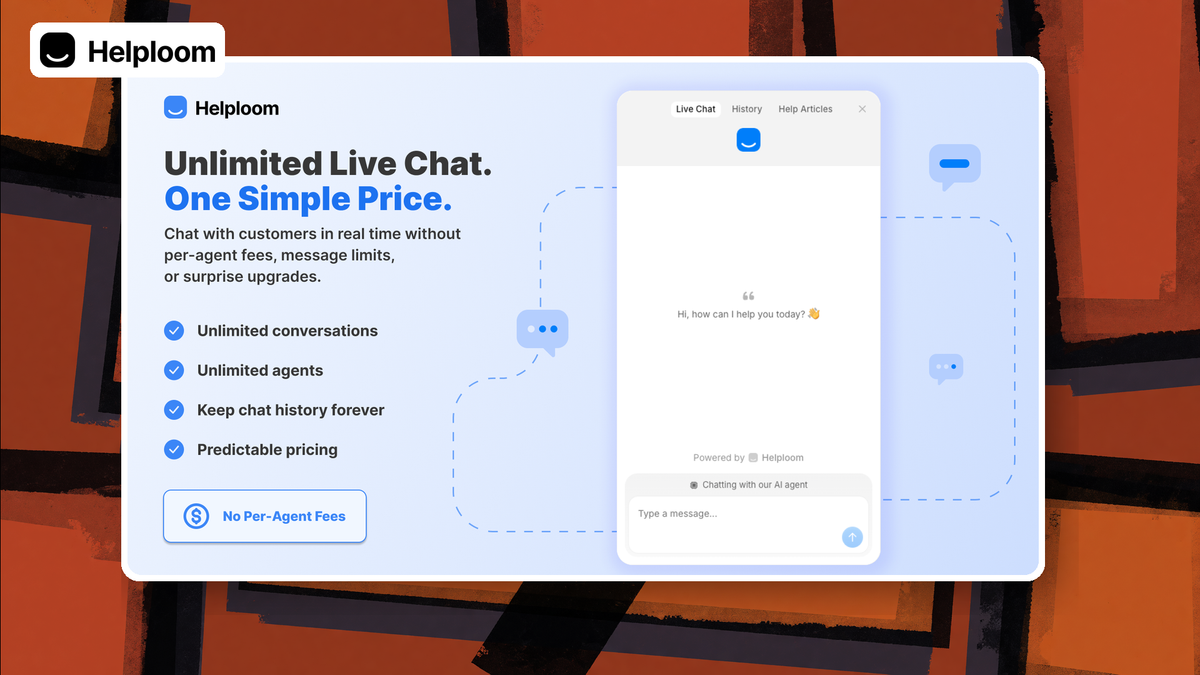
I installed HelpLoom on DaveSwift.com — a $99 AppSumo live chat and AI support widget with knowledge base, help center, unlimited agents, and MCP. Here is the full setup and score.

This video is sponsored by AppSumo. HelpLoom is part of The Deal Is Right (through July 24). AppSumo does not preview or control the review.
HelpLoom
Website live chat, shared inbox, AI agent, knowledge base, help center, reports, unlimited agents, custom email, MCP.
Small teams replacing metered chat tools with a simple LTD stack.
Intercom, Crisp
What HelpLoom is (and who it is for)
HelpLoom is a website live chat widget with a built-in inbox, knowledge base, optional AI agent, customer-facing help center, reporting, and MCP hooks for advanced AI setups. I covered it as part of AppSumo's **The Deal Is Right** sale (through July 24). The base lifetime deal is **$99**, with optional add-ons for unlimited AI messages (**$49**) and white-labeling (**$89**).
It is aimed at small teams and solopreneurs who want professional chat on the site without an Intercom- or Crisp-style monthly stack billed by seat or AI credits. If you need enterprise routing trees on day one, this is not pretending to be that. If you want install-the-snippet and start answering, it fits.
AppSumo sponsored the video. They do not preview my cut and they do not control the score. Grab the deal here if you want to support the channel while you shop: https://daveswift.link/helploom.
Install: one snippet in the site header

After purchase, HelpLoom walks you through a short setup: enter the domain, copy a JS snippet, paste it on the site. That is the whole path to a working live chat widget.
On Ghost I used **Settings → Code injection** in the site header. On WordPress, a code-snippet plugin or header injection works the same way. On Squarespace-style builders, put it wherever Google Analytics lives. Header placement matters so the widget loads on pages you care about.
Optional step three identifies logged-in users through HelpLoom's API. You paste an extra block **before the closing script tag** so returning members are not anonymous strangers in the inbox. Save, purge cache (Cloudflare included), reload — the widget should appear lower-right.
First chat, inbox, and human replies

The welcome message is rich text — headings, images, links. I pointed mine at the Tuesday newsletter signup. From there a visitor can start a chat; the widget can ask for name and email on first engagement so you are not guessing who you are talking to.
In the HelpLoom inbox you get a normal support surface: compose a reply, formatting, **AI assist** on replies (monthly AI message limits unless you buy the unlimited add-on), and **internal notes** for team context that the visitor never sees.
I sent a plain How can I help reply and watched it land live in the widget. Presentation is clean. Unlimited **agents** on the account is a real differentiator versus tools that meter seats.
Pricing that stays simple

Base LTD: **$99** for the product. Add **$49** if you want unlimited AI messages. Add **$89** if you need white-label (no HelpLoom branding for customers). There is not a ladder of message tiers for the core chat product — you are not forced into a higher license just to handle volume.
Custom email domains are included on the base deal. That matters more than it sounds: support replies from a random third-party domain still land in spam and make you look like you never answered. Set the domain early.
Current deal link: https://daveswift.link/helploom. Deal Is Right pricing window runs through July 24 — lock it if it fits.
Widget design: colors yes, icon not yet

Under Settings → Widget you get brand color (picker or hex), welcome message plain/rich text, optional autoresponder for the first bot-style line after engagement, white-label toggle if you bought that add-on, and optional email/phone capture.
You can exclude specific pages when a global inject (like Ghost code injection) would otherwise put chat everywhere. I would rather control placement at the CMS layer when possible, but the exclude list is a good safety valve.
Gap I called out on camera: **you cannot change the widget icon**. You are stuck with the question mark. Color branding works; logo or face icon would be an obvious upgrade.
Inbox organization, contacts, and reports
Tickets are resolved/unresolved. Customer metadata (name, email, phone) sits in the sidebar with agent assignment and tags. Archive when done.
Contacts collect people who chatted. Archived chats disappear from the contact's active list — I wanted a combined active + archive history view and did not get it. Know that before you archive aggressively.
Reports cover response/resolution time, channel splits (email vs widget), and people vs AI performance. Digests can email stakeholders who never log into HelpLoom — useful for owners who only want the pulse.
Business hours and custom email domain
Before flipping AI on, set availability/business hours so visitors know when a human is likely. Old-fashioned ops still matter.
Custom support email is in the setup path for a reason. Point a domain you control, complete DNS, and stop training customers to ignore your replies in spam. I treat this as required, not optional polish.
Knowledge base vs help center


Two surfaces that sound identical and are not. The **knowledge base** feeds the **AI agent**. The **help center** is customer-facing docs on a HelpLoom-hosted docs URL.
KB sources can be pasted text, Q&A, URLs, or a **sitemap scrape**. I pointed it at DaveSwift.com so published reviews and pages become agent context. Processing runs in the background — start it before you enable the agent.
Help center articles get collections, search, TOC, and was-this-helpful. Checkbox **sync help center** into the KB so one edit updates customer docs and the agent. That single-source switch is one of the smarter UX choices in the product.
MCP: wire Hermes or Claude Desktop
Settings → MCP lets you mint a token with scopes. Suggest-only vs fully autonomous matters: suggest-only will not create knowledge sources for real.
I connected my Hermes agent (Lloyd) with the endpoint + token. First token lacked write permissions and still drafted articles; the write-capable token created **nine** knowledge sources live on camera for the daveswift.com widget (about the site, premium, newsletter, sponsorship, affiliates, login issues, guardrails).
If you already run agents, this is the power-user path: agent replies, KB authorship, and ops without living in the HelpLoom UI all day.
Turning on the AI agent


Enable the agent in widget settings only after KB sources are cooking. My smoke tests: are you there got a live agent; a cake recipe request correctly refused and offered human handoff.
Handoff dropped the thread back in the shared inbox rather than assigning a specific human. Fine for a solo operator; teams may want auto-assign + notifications so escalations do not sit quietly.
Once the Hyprcore article finished indexing, asking for a Mac dictation tool returned Hyprcore with highlights **and my AppSumo affiliate link**. That is the loop you want: published content → KB → accurate, revenue-aware answers.
What could be better
Custom widget icon is missing. Contact history after archive is weaker than it should be. Human handoff from AI does not auto-assign an agent. AI message caps on the base tier mean serious AI usage wants the $49 unlimited add-on.
None of those killed the product for me. They are the gap between ships the right core and polished for every edge case.
Final score and recommendation
I am giving HelpLoom an **8.3/10**. It does what it claims: fast widget install, clean inbox, unlimited agents, KB + help center with sync, MCP for real agents, and AI that stays inside what it knows. Feature count feels right — powerful without a three-day configuration tax.
Best fit: web businesses and small teams replacing a metered Intercom/Crisp bill with a $99 LTD (+ AI/white-label add-ons if needed). Weaker fit if you need deep enterprise workflows or a custom launcher icon on day one.
If it matches your stack, grab it during Deal Is Right: https://daveswift.link/helploom.
Frequently Asked Questions
What is HelpLoom?
HelpLoom is a live chat and AI support platform with a website widget, shared inbox, knowledge base, customer help center, reporting, unlimited agents, custom email domains, and MCP for connecting external AI agents.
How much is the HelpLoom AppSumo deal?
The base lifetime deal is $99. Unlimited AI messages is a $49 add-on and white-label is $89. Pricing called out in the video during The Deal Is Right window through July 24.
Does HelpLoom include an AI agent?
Yes. You load a knowledge base (URLs, sitemap, text, Q&A, optional help-center sync), enable the agent on the widget, and it answers from that knowledge. Off-topic asks can escalate to a human inbox.
Can I white-label HelpLoom?
Yes, via the white-label add-on on AppSumo. That removes HelpLoom branding for your customers.
Does HelpLoom work with Ghost or WordPress?
Yes. Paste the snippet in the site header — Ghost code injection, WordPress snippet plugins, or any builder header slot where analytics code lives.
What is MCP in HelpLoom?
MCP exposes HelpLoom tools to agents like Hermes or Claude Desktop so they can reply to chats or create knowledge sources using a scoped API token (suggest-only or fully autonomous).
What score did I give HelpLoom?
8.3 out of 10, citing easy setup, the right feature depth, unlimited agents, KB/help-center design, and solid AI + MCP hooks for the price.
How is the knowledge base different from the help center?
The knowledge base trains the AI agent. The help center is public documentation for customers. You can sync help-center content into the KB so one update feeds both.
Get Dave's Toolbox
The tools I actually use, every Tuesday. Free. No spam.
No cost. No spam. Unsubscribe anytime.