Texting Claude Code From Your iPhone (iMessage Channel Setup + Always-On Daemon)
Anthropic's new iMessage channel lets you text Claude Code from your iPhone. Here's how to set it up, make it run 24/7 on a Mac Mini, and fix the macOS 15 bugs that break self-chat.

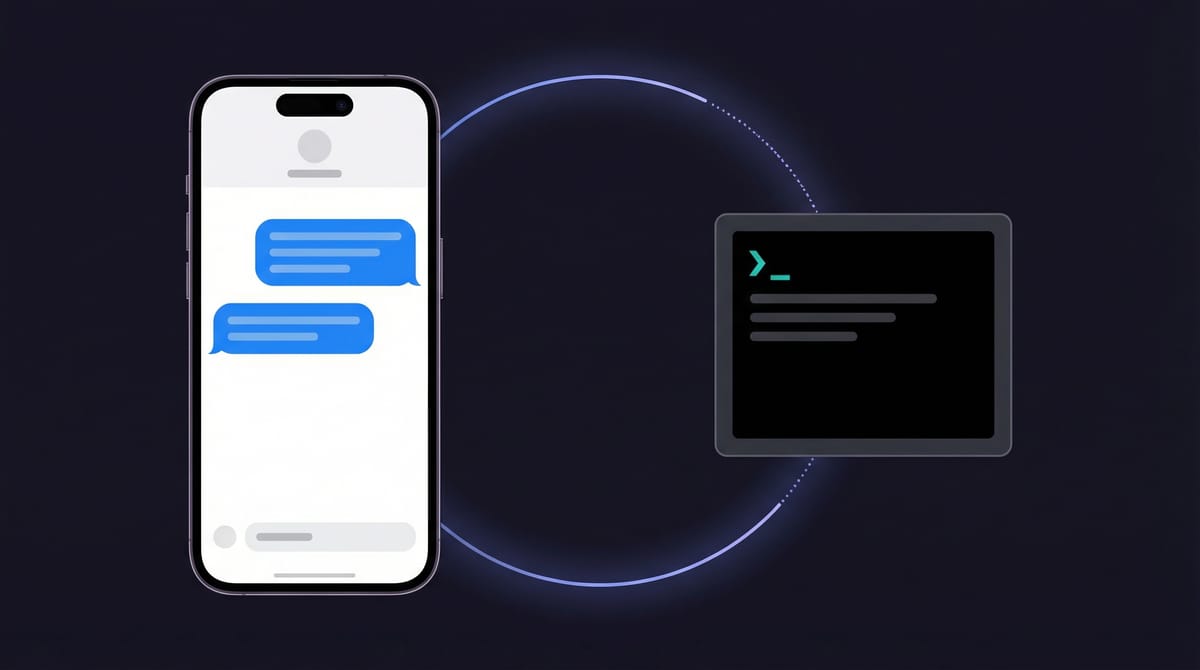
I use Claude Code in the terminal all day. But the terminal stays on my desk. My phone doesn't.
I kept wanting to text Claude quick questions from the couch, ask it to check on something while I'm out, or just think out loud without sitting down at my Mac. Not through a web app. Not through Telegram. Through iMessage — blue bubbles, the thing already open on every Apple device I own.
Anthropic recently shipped channels, a new feature that lets messaging platforms push messages directly into a running Claude Code session. Telegram and Discord were the first official channels, launched on March 20. The iMessage channel dropped on March 26, and it's the one I've been waiting for.
If you live in the Apple ecosystem, this is the one that matters. iMessage is already on your iPhone, iPad, Mac, and Apple Watch. It syncs across all of them. No new app to install, no account to create, no bridge service to maintain. You text yourself, and Claude texts back. Blue bubbles both ways.
I got it working. It took some debugging. Here's the full walkthrough.
iMessage Channel for Claude Code
Text Claude Code from your iPhone via iMessage. It reads your messages and replies with blue bubbles.
A Mac that stays on (Mac Mini or Mac Studio ideal), Claude Code CLI, macOS 15+, Full Disk Access
~5 minutes for basic setup, ~30 minutes with always-on daemon and macOS 15 bug fixes
macOS 15 has two bugs that silently drop self-chat messages. Fixes included below.
What you need
Before you start, make sure you have all of this:
- A Mac that stays on. This is the big one. The iMessage plugin runs on your Mac, reading its local Messages database. If the Mac sleeps, shuts down, or closes its lid, Claude stops responding. A Mac Mini or Mac Studio that sits on a shelf is ideal. A MacBook you carry around is not — unless you keep it plugged in at a desk.
- Claude Code installed. The CLI tool, not the web app. You need an active Claude subscription (Pro or Max) or API access.
- macOS 15 or later. The plugin works on older versions too, but the bugs I ran into are specific to macOS 15. If you're on Sonoma or earlier, the basic setup should work without the fixes described later.
- Full Disk Access for your terminal app. The plugin reads
~/Library/Messages/chat.db, which macOS protects. Your terminal (Terminal.app, iTerm, Ghostty, whatever you use) needs Full Disk Access in System Settings → Privacy & Security.
That last point about the Mac is worth repeating. This isn't a cloud service. There's no server somewhere handling your messages. The plugin reads iMessage data directly from your Mac's hard drive and sends replies through Apple's own Messages app. That's what makes it native — and it's also why your Mac has to be running.
Setting it up
Three steps. The first two take about a minute.
Step 1: Install the plugin. Open Claude Code and run:
/plugin install imessage@claude-plugins-officialStep 2: Relaunch with the channel flag. Exit your session and start a new one:
claude --channels plugin:imessage@claude-plugins-officialYou should see "Listening for channel messages" near the top. If macOS pops up a dialog asking to allow your terminal to access Messages data, click Allow.
Step 3: Text yourself. Open iMessage on your phone and send yourself a message. Self-chat (texting your own number or iCloud email) bypasses all access control, so it works immediately.

That's the official setup. For me, step 3 produced nothing. Claude sat there, listening, ignoring my messages completely. If it works for you on the first try, skip to the "Making it always-on" section. If not, keep reading — you're probably hitting the same macOS 15 bugs I did.
When it doesn't work (macOS 15)
I spent a couple hours figuring out why my messages were being silently dropped. If you're on macOS 15 and self-chat isn't working, there are two bugs in the plugin that need manual fixes. Both are small edits to a single file.
The file you need to edit is server.ts inside the plugin directory. To find it, run:
ps aux | grep bun.*imessageLook for the --cwd path in the output — that's where the plugin lives. On my system it was ~/.claude/plugins/marketplaces/claude-plugins-official/external_plugins/imessage/server.ts.
Bug 1: Self-chat messages silently dropped
The short version: macOS 15 changed how iMessage stores self-chat messages internally, and the plugin doesn't account for it yet. Your messages land in the database but the plugin skips them because it thinks they're outgoing receipts, not incoming messages.
The fix is a small change to the handleInbound function in server.ts. Find this block:
if (r.is_from_me) return
if (!r.handle_id) return
const sender = r.handle_id
And replace it with:
if (!r.handle_id) return
const sender = r.handle_id
const isSelfChat = !isGroup && SELF.has(sender.toLowerCase())
if (r.is_from_me && !isSelfChat) return
This tells the plugin to let self-chat messages through instead of dropping them. The existing echo filter already prevents Claude's own replies from creating infinite loops, so this is safe.
Bug 2: Replies fail for phone-number self-chat
Even after fixing the first bug, replies might fail if you texted yourself via your phone number rather than your iCloud email. The error looks like:
Messages got an error: Can't get chat id "any;-;+15551234567". (-1728)This happens because macOS 15's Messages app doesn't expose the phone-number self-chat thread to its scripting interface. The iCloud email thread works fine — it's just the phone number one that's missing.
The workaround: add a fallback that redirects replies to whichever self-chat thread actually works. Add this before the sendText function in server.ts:
const SELF_CHAT_GUIDS = new Set()
const SELF_CHAT_FALLBACK = (() => {
  let fallback = null
  for (const addr of SELF) {
    for (const { guid } of qChatsForHandle.all(addr)) {
      SELF_CHAT_GUIDS.add(guid)
      if (!fallback || (guid.includes('@') && !fallback.includes('@')))
        fallback = guid
    }
  }
  return fallback
})()

function resolveSendGuid(chatGuid) {
  if (SELF_CHAT_FALLBACK && SELF_CHAT_GUIDS.has(chatGuid)
      && chatGuid !== SELF_CHAT_FALLBACK)
    return SELF_CHAT_FALLBACK
  return chatGuid
}
Then update sendText to use resolveSendGuid(chatGuid) instead of chatGuid directly when calling osascript.
The trade-off: your reply arrives in a different iMessage thread (the iCloud email one) than where you sent the message (the phone number one). Slightly annoying, but functional. Anthropic will likely fix both bugs upstream eventually.
Making it always-on
Here's the thing about the channel setup so far: it only works while that Claude Code session is open. Close the terminal, and Claude stops listening. That's fine for testing, but I wanted Claude available 24/7 — text it from anywhere, anytime, and get a response.
macOS has a built-in system for running things in the background called launchd. It's like a supervisor that watches your process and restarts it if it crashes or if your Mac reboots. Combined with tmux (a terminal multiplexer that creates virtual terminal sessions), you can keep Claude running headlessly.

There's one catch: Claude Code needs an interactive terminal. It can't run as a plain background process — without a terminal, it falls into a non-interactive mode and exits immediately. I tried several workarounds before landing on one that works reliably.
The wrapper script
This shell script creates a tmux session with Claude running inside it. Save it as ~/.claude/run-imessage-channel.sh:
#!/bin/bash
export PATH="$HOME/.npm-global/bin:/opt/homebrew/bin:/usr/local/bin:/usr/bin:/bin"
export HOME="/Users/yourname"

SESSION="claude-imessage"

if /opt/homebrew/bin/tmux has-session -t "$SESSION" 2>/dev/null; then
  while /opt/homebrew/bin/tmux has-session -t "$SESSION" 2>/dev/null; do
    sleep 5
  done
  exit 0
fi

/opt/homebrew/bin/tmux new-session -d -s "$SESSION" -x 120 -y 40 \
  "claude --channels plugin:imessage@claude-plugins-official --dangerously-skip-permissions"

sleep 4
/opt/homebrew/bin/tmux send-keys -t "$SESSION" Enter 2>/dev/null

while /opt/homebrew/bin/tmux has-session -t "$SESSION" 2>/dev/null; do
  sleep 5
done
Replace /Users/yourname with your actual home directory path. Then make it executable:
chmod +x ~/.claude/run-imessage-channel.shTwo things worth explaining:
`--dangerously-skip-permissions` sounds scary but is necessary here. Normally, Claude Code asks for your approval before using tools like the reply function. In a headless session, nobody's there to click "Yes." This flag skips those prompts. It's safe for this use case — you're the only one sending messages, and the plugin only has access to reply via iMessage.
The `sleep 4` and `send-keys Enter` auto-approves a trust dialog that Claude Code shows on startup. It asks "Is this a project you trust?" and waits for input. There's no flag to skip it, so the script just presses Enter after a few seconds. It's a hack, but a reliable one.
The launchd config
Save this as ~/Library/LaunchAgents/com.anthropic.claude-imessage.plist:
<?xml version="1.0" encoding="UTF-8"?>
<!DOCTYPE plist PUBLIC "-//Apple//DTD PLIST 1.0//EN"
  "http://www.apple.com/DTDs/PropertyList-1.0.dtd">
<plist version="1.0">
<dict>
  <key>Label</key>
  <string>com.anthropic.claude-imessage</string>
  <key>ProgramArguments</key>
  <array>
    <string>/Users/yourname/.claude/run-imessage-channel.sh</string>
  </array>
  <key>RunAtLoad</key>
  <true/>
  <key>KeepAlive</key>
  <true/>
  <key>ThrottleInterval</key>
  <integer>10</integer>
  <key>WorkingDirectory</key>
  <string>/Users/yourname</string>
  <key>StandardOutPath</key>
  <string>/tmp/claude-imessage.stdout.log</string>
  <key>StandardErrorPath</key>
  <string>/tmp/claude-imessage.stderr.log</string>
  <key>EnvironmentVariables</key>
  <dict>
    <key>HOME</key>
    <string>/Users/yourname</string>
    <key>PATH</key>
    <string>/Users/yourname/.npm-global/bin:/opt/homebrew/bin:/usr/local/bin:/usr/bin:/bin</string>
  </dict>
</dict>
</plist>
Again, replace /Users/yourname with your actual path. Then activate it:
launchctl load ~/Library/LaunchAgents/com.anthropic.claude-imessage.plistThat's it. launchd will start Claude when you log in and restart it if it crashes. The first time it runs, macOS will show an Automation permission prompt asking to let your terminal control Messages — click Allow. After that, it's silent.
To peek at what Claude's doing: tmux attach -t claude-imessage. Detach with Ctrl-b d to leave it running.
To stop it: launchctl unload ~/Library/LaunchAgents/com.anthropic.claude-imessage.plist
If your always-on Mac isn't your main machine
There's a practical problem with the Mac Mini setup: Claude can only see files on the machine it's running on. If your code lives on your MacBook and Claude runs on your Mini, it can answer general questions but it can't read your project files, check your build output, or reference anything you're actually working on. That limits it to a glorified chatbot.
I use Syncthing to keep my project directories in sync across machines. It's free, open source, and works peer-to-peer over your local network — no cloud service involved. Point it at ~/Projects on both Macs and changes propagate in seconds. Claude on the Mini sees the same files you're editing on your MacBook, in near real-time.
Alternatives exist. You could use Git and just push/pull frequently, or set up rsync on a cron. But Syncthing is the lowest-friction option I've found — it runs in the background and just works. I've been using it for over a year across three machines with zero data loss.
One thing to watch: if Claude on the Mini starts writing files into a synced folder while you're also editing on your MacBook, you could get sync conflicts. I keep Claude's working directory separate from my synced projects when I'm actively coding, and let it read from the synced folders as reference. That's worked well enough.
What works now
I text myself from my iPhone. Claude picks it up in a second or two. It replies. The reply shows up as a blue bubble in my iMessage thread. If my Mac reboots, launchd brings Claude back automatically.

The whole stack is surprisingly simple once it's running: launchd watches a shell script, the shell script manages a tmux session, Claude Code runs inside tmux listening for channel messages, and the iMessage plugin handles the rest — reading the Messages database for inbound texts, sending replies through AppleScript.
What to know before you start
- Your Mac has to be on and awake. Sleep, shutdown, lid closed — Claude goes dark. A headless Mac Mini or Mac Studio is the ideal setup. I run mine on a Mac Studio that's always on anyway.
- Replies might land in a different iMessage thread than where you sent the message. That's the phone-number vs iCloud-email self-chat issue described above. It's cosmetic, not functional.
- The first reply triggers a one-time macOS permission dialog. "Terminal wants to control Messages." Click Allow. Only happens once.
- Plugin updates will overwrite your bug fixes. If Anthropic updates the plugin, you'll need to re-apply the
server.tspatches. Hopefully they'll fix the macOS 15 compatibility upstream soon. - No tapback, edit, or thread replies. Apple's scripting interface only supports sending messages. No reactions, no edits, no replying to specific messages in a thread.
Letting other people text Claude
By default, only your own messages reach Claude. Everyone else gets silently ignored — no auto-reply, no error, nothing. That's the right default for something reading your personal message history.
If you want a family member or friend to have access:
/imessage:access allow +15551234567Use their phone number or Apple ID email. Keep the list short and deliberate.
Three files, one daemon
The entire setup is three files:
- `server.ts` in the plugin directory — the part that reads iMessage and sends replies. Apply the macOS 15 fixes here if needed.
- `~/.claude/run-imessage-channel.sh` — the wrapper script that gives Claude a terminal to run in.
- `~/Library/LaunchAgents/com.anthropic.claude-imessage.plist` — the macOS config that keeps it running forever.
The plugin itself is well-designed. Reading chat.db directly for inbound messages and using AppleScript for sends — no external server, no cloud dependency, no moving parts beyond your own Mac. The macOS 15 bugs are minor compatibility issues that'll likely get fixed upstream. Until then, the patches are small.
I'm texting Claude from my phone now. From the couch, from the car, from bed. It's exactly as useful as I thought it would be.