Hyprcore Mac Dictation App Walkthrough
Hyprcore is a Mac app for local-first dictation with optional cloud polish, a vault for notes and transcripts, built-in meeting recording, team sharing, and MCP access. Here’s what stood out in my walkthrough during AppSumo’s The Deal Is Right promo.

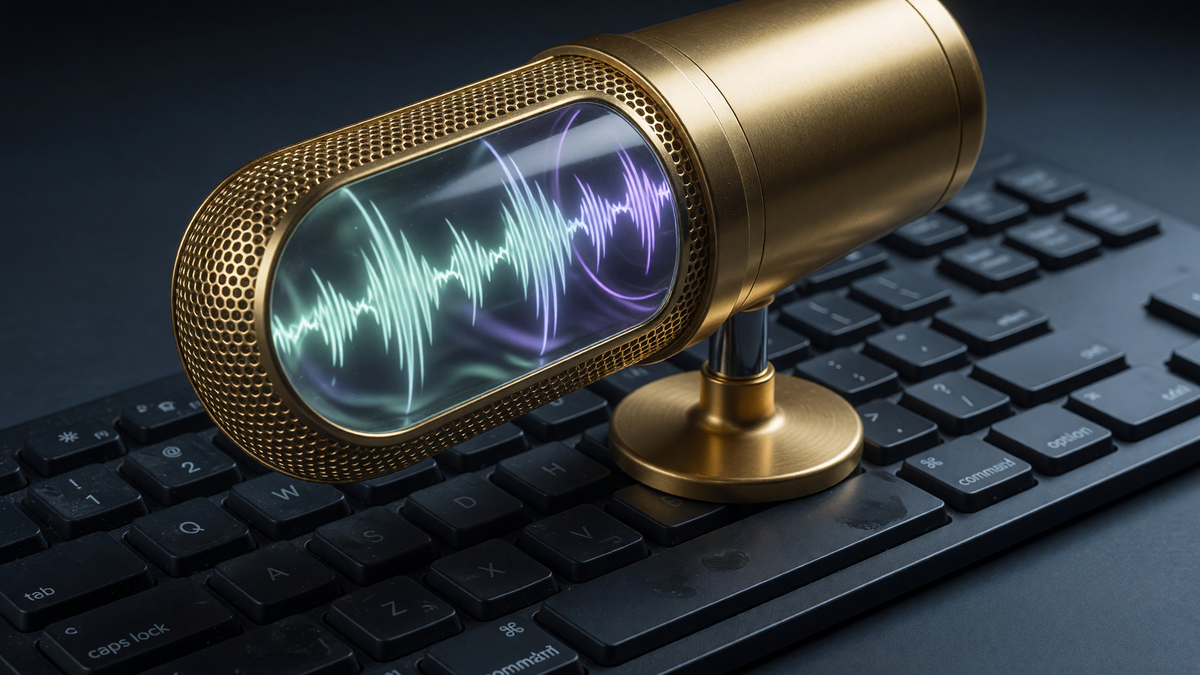
This video is sponsored by AppSumo. Hyprcore is featured during The Deal Is Right promo (July 20–24), where you can grab lifetime deal pricing on Hyprcore and other tools.
Hyprcore
Local Mac speech-to-text, optional cloud intelligence, vault notes, meeting recording, team sharing, MCP, and action templates.
Mac users who want one app for dictation + meetings instead of stacked subscriptions.
Wispr Flow, Superwhisper, MacWhisper, Otter, Fireflies
I almost never type anymore

I have a confession: I almost never type anything anymore. Speech-to-text has gotten fast enough that dictating often feels quicker than hunting for the right keys — and the part that matters for me is that a lot of that work can stay on my Mac.
That why I like Hyprcore, a Mac app built around local open-source speech models, optional cloud intelligence, a vault for your notes and meetings, and enough meeting tooling that you may not need a second transcription subscription.
What Hyprcore is (and who it’s for)

Hyprcore is a Mac-native app. Local transcription uses open-source models on your machine. Cloud is optional when you want cleanup, formatting, or more horsepower. That hybrid setup is the product thesis: private and fast by default, smarter when you ask for it.
It’s aimed at people who live in email, Slack, docs, and meetings on a Mac — especially if you already pay for a dictation tool *and* a meeting-notes tool. To be blunt, can this replace an expensive stack of tools?
If you need Linux/Windows parity, deep mobile capture, or a mature custom agent builder on day one, this isn’t pretending to be that. It’s a Mac productivity surface with dictation at the center and meetings/vault features bolted in tightly.
Dictate anywhere with two hotkeys

System-wide dictation is the first thing you feel. Default is **Option + Space**. Map it to something easier — I bounced it to the Function key so it’s one press instead of a chord.
The second hotkey runs **post-processing / intelligence** on what you just said. Same capture path, different outcome: raw transcript for AI prompts, cleaned prose for humans. That split is one of the smarter UX choices in the app.
Settings around shortcuts, paste behavior, custom vocabulary, and history retention are deep enough for power users without forcing you through them on day one. If you live in hotkeys, you’ll feel at home under Product → Dictation (and the matching meeting shortcuts later).
Speech-to-text models: local, Hyprcore Cloud, BYOK

Under **Models**, speech-to-text and intelligence are split into clear tabs, then again into **dictation** vs **meetings**. That separation matters — a model that flies for short dictation may not be what you want on a long call.
Local STT in the demo used **Parakeet v3** (~0.5 GB on disk). On a recent Mac it’s effectively invisible: fast, private, no per-minute meter while you stay local. Older machines can skip local and use **Hyprcore Cloud** credits included with the AppSumo purchase, or **BYOK**.
BYOK for speech currently centers on OpenAI in the UI I showed. It works for a lot of people, but the provider list is thinner than the rest of the app’s ambition. Try local first; fall back to cloud if battery, heat, or speed forces your hand.
Intelligence: turn rambles into send-ready text

Intelligence is the cleanup brain after speech-to-text. Same three lanes: local, Hyprcore Cloud, BYOK — again split for meetings vs dictation. Local options go up through larger models (I tried **Gemma 4 E4B** on a Mac Studio); they’re usable but can feel slow when you want instant paste-into-email output.
For demos I preferred cloud intelligence — older/cheaper models that are affordable with the included credits, with the honest caveat that they can make more mistakes than newer flagships. The live comparison used **Gemini 2.5 Flash**.
Side-by-side in the vault: raw dictation kept the ums and turned “Tuesday, Wednesday” into a flat Tuesday-and-Wednesday string. Intelligence version fixed grammar and formatting so it was ready for email or Slack. Tradeoff called out on camera: intelligence is slower. That’s why two hotkeys beat one “always smart” toggle.
The vault: notes, MCP, Hyper chat, and team folders

The **vault** is a built-in wiki/notes surface for dictations, meetings, and freeform docs. Editor is markdown-friendly with a Lexical-style writing experience, so you can type or dictate in the same place.
Power-user path: expose the vault over **MCP** to agents (Hermes, OpenClaw-style setups, Claude Desktop, etc.). If you’re not ready for that, **Hyper** is an in-app chat over vault contents — summarize a meeting, find drafts to follow up, ask what’s sitting in inbox.
Teams can share folders online with per-person access and edit rights. Creating folders/notes is straightforward. Moving notes between folders had a real UI bug in the build I used: the move succeeded, but the tree didn’t refresh until reopen. Worth knowing before you trust the chrome over the filesystem state.
Meetings without a second subscription

From the vault you can start a **new recording** — including solo “meetings with yourself,” audio-only, or screen recording when you want thinking-out-loud turned into a document. Live transcript, rolling bullet points, a notes pane, and **Shift + Command + N** to pin an important line into a scratch pad.
End the recording and Hyprcore processes it into a structured meeting doc: chapters, notes, recording playback. My run was real-time with no manual cleanup for the skeleton of the doc.
If meetings fail out of the box, check **Models → Meetings** separately from dictation. My working setup: local **Canary 1B V2** for meeting STT and Gemini 2.5 Flash for intelligence. Calendar integrations cover auto-start on video links plus Google, Microsoft, and Apple (EventKit).
Advanced settings and action templates

System → Advanced is the power-user drawer: launch hidden, skip tray icon, overlay position, hide overlay from screen share (handy for creators), auto-unload models after idle (example: 15 minutes) to free RAM on older machines, clipboard/auto-paste behavior, custom word corrections, and history caps (count + age).
**Action templates** sit closer to a lightweight assistant than a full agent builder. Built-ins include write an email, reply in the moment, checklist, rewrite selection, and write code. You can’t author custom templates yet.
Demo pattern: intelligence hotkey, start with “Hyper…”, then the task (“write an email to the team about crushing last quarter and a pizza party”). Output was a clean subject + body with a boss-name placeholder. My wish list for later: screen-aware context so it can pull thread participants and real names without hand-holding.
What could be better
BYOK provider lists are sparse — especially on the intelligence side. Local large models can lag for interactive dictation cleanup. Vault folder moves need a UI refresh fix. Action templates aren’t user-extensible yet, and they aren’t deeply context-aware of the frontmost app.
None of those killed the product for me. They’re the difference between “ships a lot” and “feels finished for every power-user edge case.” If you need a specific cloud provider today, verify it before you buy the LTD.
Final score and recommendation
I’m giving Hyprcore an **8.2/10**. Local-first dictation that’s fast, optional cloud intelligence when you need polish, a vault with MCP/team hooks, and real meeting recording in the same app is a strong package — especially if you’ve been paying separately for speech and meeting tools.
It’s a great fit if you’re on Mac, dictate constantly, and want privacy by default without giving up cleanup models. It’s a weaker fit if you need broad cross-platform parity or a mature custom-automation layer on day one.
If it matches your workflow, the **July 20–24 The Deal Is Right** window is when AppSumo is pushing the best pricing on this and other deals. Grab it through my link if you want to support the channel while you shop.
Frequently Asked Questions
What is Hyprcore?
Hyprcore is a Mac app for system-wide dictation using local open-source speech models, optional cloud intelligence cleanup, a notes vault, meeting recording, team folder sharing, MCP access, and simple action templates.
Does Hyprcore work fully offline?
Speech-to-text can run fully local (for example Parakeet). Intelligence cleanup can also run local, though larger local models may be slower. Cloud and BYOK are optional when you want faster or stronger cleanup.
Can Hyprcore replace Otter or other meeting tools?
It can cover a lot of solo and calendar meeting capture with live transcript, notes, and auto-generated meeting docs. Whether it fully replaces your current meeting stack depends on your collaboration and CRM needs.
What models does it support?
Local speech models such as Parakeet, local intelligence models such as Gemma variants, Hyprcore Cloud models, and BYOK options (OpenAI highlighted for STT; Gemini 2.5 Flash used in the intelligence demo). Meeting models are configured separately from dictation.
Is there an AppSumo lifetime deal?
Yes. During the filming window Hyprcore was part of AppSumo’s The Deal Is Right promo from July 20–24. Use the deal link in the description/show notes for current pricing and tiers.
Does the vault work with AI agents?
Yes. There’s MCP setup for connecting agents, plus an in-app Hyper chat if you want vault Q&A without wiring external tools.
What score did I give Hyprcore?
8.2 out of 10, citing strong local dictation, optional cloud polish, collaboration features, and built-in meeting recording value.
Get Dave's Toolbox
The tools I actually use, every Tuesday. Free. No spam.
No cost. No spam. Unsubscribe anytime.