I Used a Hermes Agent to Plan Our Family Road Trip
A practical everyday Hermes walkthrough: planning a real family road trip with an always-on agent, private Tailscale access, and a trip site the whole family can use.

This video is sponsored by Cloudways. Managed cloud hosting for WordPress and self-hosted apps — pick your cloud provider, free uncapped migrations, Lightning Stack performance features, Site Manager for multi-site chores, plus AI co-pilot/MCP options.
Everyday AI beats another coding demo

I keep seeing the same split online with tools like OpenClaw or Hermes Agent. People either think the only point is shipping apps while you sleep, or they cannot picture what an agent is for at all.
An email tool is obvious. You send email. An agent is different. Once it has a durable place to work, memory, and access to your real files and tools, the ceiling is whatever projects you already do as a human.
For me that has become a blunt rule: for about six months I have not taken on a large project without involving my agent in some way. Amy has her own agent too — including non-business stuff like gardening projects. Agents are not going away, so it is worth learning how to use them on normal life work.
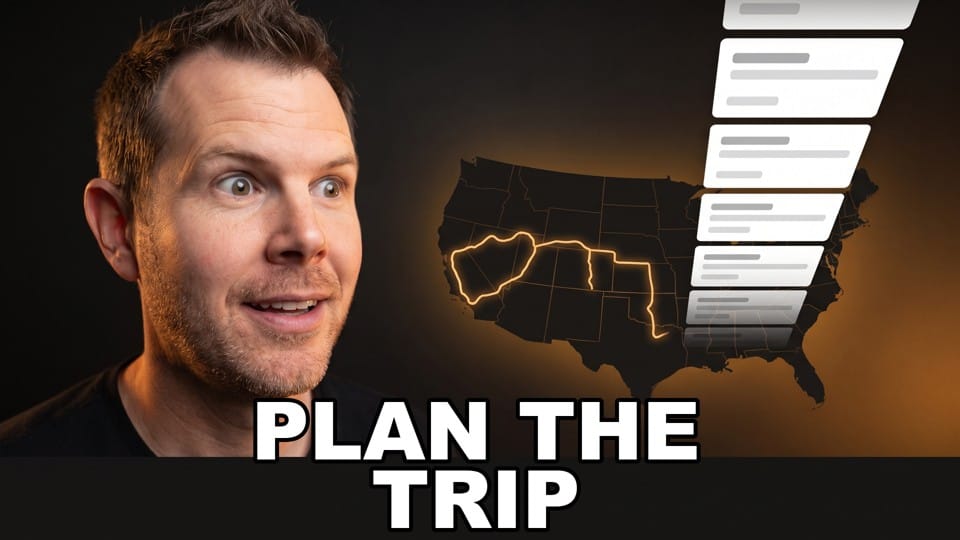
This walkthrough is one concrete example: using Hermes to plan a multi-week family road trip to Daytona Beach around our daughter’s dance competition.
Sponsor note: Cloudways

This video is sponsored by Cloudways, managed cloud hosting for WordPress and other self-hosted apps.
The pitch I care about in practice: you pick the underlying cloud (Vultr, DigitalOcean, Google Cloud, and so on), and Cloudways handles the messy server layer. Free uncapped migrations matter if you are still on slow shared hosting. For WordPress, Lightning Stack plus caching/Redis is aimed at staying fast under load. If you run an agency with many sites, Site Manager is the multi-site updates/backups cockpit. They have also been adding AI co-pilot and MCP hooks so you can drive hosting from the tools you already live in.
If you want to try it, use code **DAVESWIFT** for $10 off your first month: https://unified.cloudways.com/signup?id=268444&coupon=DAVESWIFT&data1=ghost&data2=hermes-road-trip
The stack: Mac mini, real-user install, Tailscale


I am not doing a full Hermes install tutorial here. The useful part is the shape of the setup.
Hermes runs on a Mac mini in the basement: Ethernet, always on, never sleeps. It does not need to be a GPU monster for my use case because the model calls still go out over cloud APIs. The leverage is local access — files, notes, calendars, project folders — sitting on that machine.
I eventually installed the agent on my real Mac user account. That is the controversial choice. It can see iCloud, personal files, photos, the works. I started gated on a separate user account, and that is still what I would tell a first-timer to do. Graduate later once you trust your guardrails. For me, living on the real account was a huge upgrade because I stopped babysitting file copies and permission theater.
The second piece is Tailscale. Not a sponsor. It makes a private network across my devices so something that only “exists” on the home network still feels local when I am on the road. That is how the family trip site works: a normal-looking domain, locked to our tailnet, usable from phones and iPads without opening it to the public internet.
Private trip CMS: travel.swiftmn.com

On the mini, Lloyd built a small trip site at travel.swiftmn.com. If you hit it from the open internet it will not load for you — that is intentional.
It is set up like a lightweight CMS so future trips can live there too: itinerary, stops, later journal entries, photos, and video. For this trip the core need was simple: where we are going, when, drive times, addresses, and links the kids and Amy can actually open without digging through chat logs.
The prompt and the full conversation

We already had the Daytona hotel booked about six weeks earlier for the competition window. At booking time we did not know whether we would fly. Mid-move chaos made tickets risky, and once we were still in Minnesota, flying a family of five got ugly on price. We also wanted the kids to see more of the country.
So I picked it up with Lloyd from the hotel constraint outward: map the drive from Eden Prairie; extended road trip with fun stops plus historically and culturally significant ones; leave June 19; home by July 4, or a little later if we find somewhere special for the Fourth, but back by July 6.
Two Hermes details mattered immediately. First, memory: I asked if it remembered the hotel reservation and it did, without me bolting on a pile of extra memory plugins. Second, it already had a travel-planning skill it had built on its own earlier — I did not ask it to create one in that moment.
Iterate hard: first drafts are usually too ambitious

The first full draft was classic agent enthusiasm: too many stops, too many long driving days. On a family trip that is how you burn out and arrive after everything is closed.
I pushed for shorter drive days over four or five days outbound. Amy and our son had already handwritten places they wanted — I photographed the notebook pages and dropped them in. Lloyd immediately flagged Kennedy Space Center as non-negotiable blocked time, which was right.
The useful habit is not accepting plan v1. After every meaningful change I make it reassess: are we still inside sane drive days, or are we just trying to please me? Agents default to making you happy. You have to ask whether the plan is actually good.
When outbound still felt like a marathon, I reminded it we also drive home — so the return can be a different path instead of zigzagging for every attraction on the way down. That unlocked a cleaner final skeleton, including hotel check-in constraints. It even checked email for the check-in window so we would not arrive outside what the property allows.
Turn the plan into a site people will open

The first website pass was sparse: weak formatting, no photos, generic AI blue/purple vibes. I asked for something more Apple-esque, real photos where possible, addresses, clickable links, and drive-time callouts kids can understand (“about three hours — grab the iPad”).
I also keep a DaveOS markdown copy of the itinerary so if the site is unreachable I still have the text on the laptop in the car.
Then more passes: typography and spacing notes like you would give any designer, more images, a real Fourth of July fireworks plan instead of “find something local,” and repeated QA for broken assumptions.
One real-world pivot: Rail Explorers was sold out on the original day. Lloyd checked availability, found a July 6 afternoon slot, and reshuffled the return without blowing up the whole trip. That is the difference between a pretty itinerary and an assistant.
The unglamorous unlocks: discounts, calendar, journal


Amy is a veteran. I had Lloyd research military discounts and ticket requirements across the stops and produce a tickets/discounts page. I did not put every discount detail on the public-facing trip UI, but the research living in one place still saves us from forgetting to ask at the counter.
I also gave Lloyd iCloud calendar access for a dedicated road-trip calendar. When I book something, I paste the confirmation screenshot and it lands on the calendar with the code. Faster at the gate than hunting email on bad cell service. Same pattern with Reminders lists and Apple Notes when the whole family needs the artifact on devices they already use.
For the trip itself we have a private journal on the same site — daily entries and media, or send material to our agents to file. I could host a site like this on Cloudways, and for a public project I would. This one stays on the mini because family photos and trip notes are not content I want on the open web. Local HTML we control also avoids the “subscription journal locked us out” problem — Amy hit that with Day One after the paid plan lapsed.
What this is really about
You could build a similar itinerary by hand. It might even take a similar number of clock hours. The difference is mental fatigue — closer to full self-driving on a long highway day versus gripping the wheel in stop-and-go.
The agent does not remove taste or judgment. You still cut stops, reject bad color themes, demand real fireworks plans, and insist links work. What it removes is the repeated tax of looking things up, reformatting, reshuffling, and re-checking after every change.
If you want more of these everyday agent use cases — not just coding demos — tell me in the comments. I will keep making them if people actually watch them.
Takeaway
Hermes on an always-on Mac mini, Tailscale for private multi-device access, and a stubborn iteration loop turned a vague “we should drive to Daytona” into a family-usable trip system: itinerary site, drive times, bookings on calendar, discount research, and a private journal.
Thanks to Cloudways for sponsoring the video. Code DAVESWIFT for $10 off your first month: https://unified.cloudways.com/signup?id=268444&coupon=DAVESWIFT&data1=ghost&data2=hermes-road-trip
Frequently Asked Questions
Is this a Hermes install tutorial?
No. I give enough infrastructure context (Mac mini, user account choice, Tailscale) to copy the pattern, then spend most of the video on the real planning conversation and iteration.
Can the public open travel.swiftmn.com?
No. It is on a normal domain name but locked to our Tailscale tailnet so only family devices on the private network can reach it.
Do I need a powerful local GPU?
Not for this setup. The always-on Mac mini holds files and tools; model calls still go through cloud APIs in my configuration.
Should a beginner install the agent on their main Mac user?
I would not start there. I began on a gated separate user, then moved to the real account once I trusted the guardrails. Main-user access is more powerful and more dangerous.
Get Dave's Toolbox
The tools I actually use, every Tuesday. Free. No spam.
No cost. No spam. Unsubscribe anytime.