Emailit Review: Send 100K Emails/Month for a One-Time Fee
Emailit is an email sending platform for transactional and marketing emails via SMTP or API. I tested domain setup, deliverability (10/10!), WordPress integration, and the campaign builder. Final score: 8.1/10.

Emailit
Email sending platform for transactional and marketing emails via SMTP or API, with built-in campaigns, drag-and-drop editor, and email verification.
WordPress site owners, app developers, and small-to-medium businesses needing reliable email delivery without the complexity of Amazon SES.
Amazon SES, Mailgun, SendGrid, Postmark
What Is Emailit?
Emailit is an email sending platform that lets you send transactional and marketing emails through SMTP or API connections. Whether you're running a WordPress site, building an app with AI-assisted coding, or need a reliable way to send notifications and campaigns, Emailit provides an all-in-one solution with built-in email verification, a drag-and-drop campaign builder, and audience management.
It's currently available on AppSumo as part of their Build Different sale, celebrating 16 years in business. Tier one starts at just $44 for a one-time payment.
Setting Up Your Domain

Getting started with Emailit begins with verifying your domain. After adding your domain in the interface, you'll need to create several DNS records. While the UI doesn't immediately show the required records after adding a domain (you need to click into it), the process is straightforward.
Emailit also has an API, which means you could automate the entire domain setup process using tools like Claude Code with Cloudflare API access — no manual DNS management needed.
DNS Records & Email Authentication

Emailit requires four types of DNS records for proper email authentication:
- MX Record — Handles inbound emails on a subdomain. This won't affect your existing email setup (Google Workspace, Outlook, etc.) since it uses a subdomain.
- SPF Record (TXT) — Authorizes Emailit's servers to send emails on behalf of your domain, preventing spoofing.
- DKIM Record (TXT) — Adds cryptographic authentication to individual emails, proving they haven't been tampered with in transit.
- DMARC Record (TXT) — Tells receiving servers how to handle emails that fail SPF or DKIM checks.
There are also optional tracking records (CNAME) for monitoring opens and clicks. Enabling tracking can slightly impact deliverability since it signals a marketing message, which email providers scrutinize more closely.
Connecting to WordPress with Fluent SMTP

For WordPress users, connecting Emailit is simple using the free Fluent SMTP plugin. While Emailit isn't listed as a pre-configured option, you can select "Other SMTP" and enter the following:
- Host: smtp.emailit.com
- Port: 587 with TLS
- Username: emailit
- Password: Your API key
Fluent SMTP supports multiple connections, so you can route different sender addresses through different services. For example, transactional emails from a no-reply address can go through Emailit while other addresses use Amazon SES.
Deliverability Testing

I ran two deliverability tests using mail-tester.com and achieved a perfect 10 out of 10 score both times — once from a WordPress test email and once from the campaign builder.
If you experience lower scores, it could be due to your domain's reputation, the content of your emails, or the links you include. Outlook in particular is very sensitive to email content and shortened URLs. Always use full, unshortened links for the best deliverability.
Email Verification

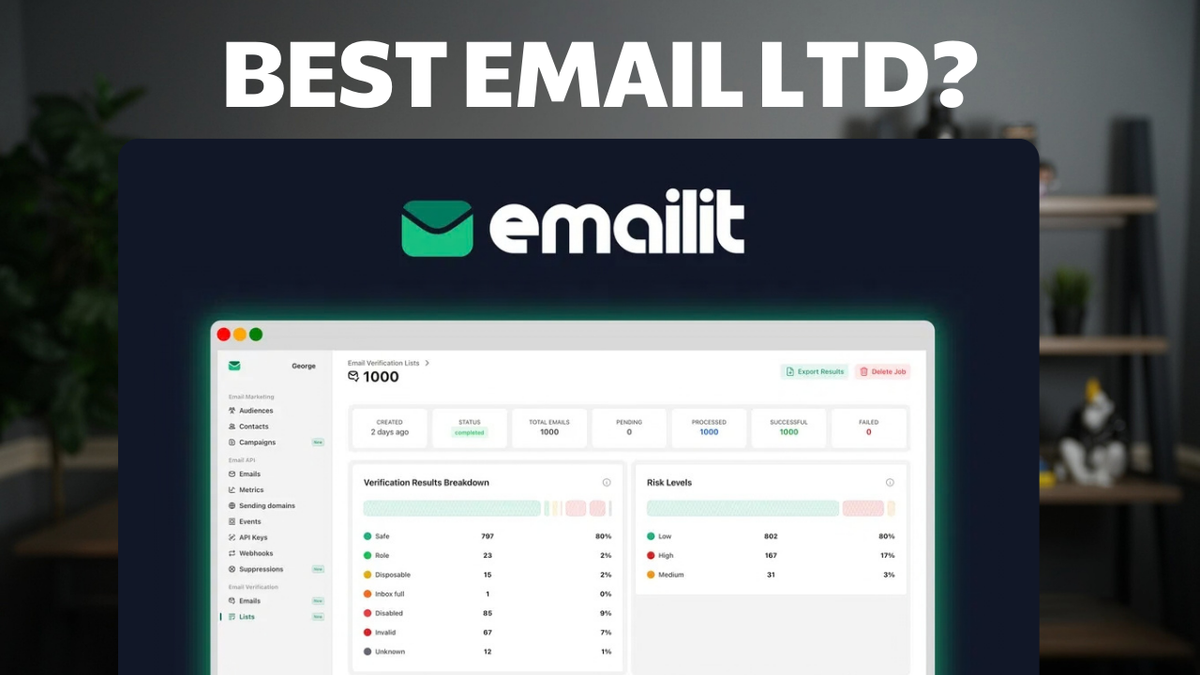
Emailit includes a built-in email verification tool that can check individual addresses or bulk-verify lists up to 10,000 emails. Each verified contact receives a score out of 100 along with details like MX records, deliverability status, and whether the address is disposable or catch-all.
However, when I compared results against ClearOut (a dedicated verification tool), Emailit marked 100% of a 10-year-old email list as valid, while ClearOut correctly identified many as invalid or undeliverable. Email verification isn't Emailit's strongest feature, but it's a useful bonus for basic checks.
Campaign Builder & Drag-and-Drop Editor

For email marketing, Emailit offers a full campaign workflow: select your audience, configure sender details, build your email content, enable or disable tracking, and send. The drag-and-drop editor provides decent templates and fast inline editing with blocks for images, buttons, columns, and pre-built sections.
The editor is functional but not best-in-class — it has the typical quirks of email builders due to HTML email standards. For more control, you can switch to raw HTML or rich text.
One notable gap: there's no built-in marketing automation. For automated email sequences, pair Emailit with a tool like N8N as the automation engine and use Emailit as the sending platform. A/B testing is listed as "coming soon" but isn't available yet.
Plans & Pricing
All tiers include the full feature set — the only differences are domain count and monthly email volume:
- Tier 1 — 1 domain, starting at $44 one-time
- Tier 2 — 2 domains
- Tier 3 — Unlimited domains, 100,000 emails/month ($169)
- Tier 4 — Unlimited domains, 250,000 emails/month ($319)
An optional data retention add-on ($150) extends log storage beyond the default few days, which may be required in certain industries.
Sending Limits & Dedicated IPs

New accounts start with conservative sending limits: 2 emails per second, 5,000 per day, and 10,000 subscribers per audience. These are starting limits designed to prevent abuse — you can request increases after establishing a good sending reputation.
On dedicated IPs: for most users with small-to-medium lists, a shared IP pool actually delivers better results than a dedicated IP. You typically need 50,000–100,000 emails per month to warrant a dedicated IP. Below that volume, the shared pool should serve you well.
Final Verdict: 8.1/10
Emailit earns an 8.1 out of 10. It excels at its core job — sending emails reliably with excellent deliverability. The SMTP integration is painless, DNS setup is straightforward, and the pricing is very competitive as a one-time payment.
The email verification feature needs improvement compared to dedicated tools like ClearOut, and the lack of built-in marketing automation means you'll need a companion tool for automated sequences. But for transactional email sending and basic campaigns, Emailit is a solid choice that I'm deploying to production on my own sites.
Frequently Asked Questions
Is Emailit a replacement for Amazon SES?
For most users, yes. Emailit is much easier to set up while offering comparable deliverability. However, if you're sending hundreds of thousands of emails monthly and need the lowest possible per-email cost, SES is still cheaper at scale.
Can I use Emailit with WordPress?
Yes. Use the free Fluent SMTP plugin and configure it with Emailit's SMTP credentials: smtp.emailit.com, port 587, TLS. Your API key serves as the password.
Does Emailit support marketing automation?
Not natively. For automated email sequences, pair Emailit with an automation tool like N8N, which can trigger emails through Emailit's API or SMTP based on events and schedules.
What's the email deliverability like?
In my testing, Emailit scored 10/10 on mail-tester.com. Actual deliverability depends on your domain reputation, email content, and whether you enable open/click tracking.
Do I need a dedicated IP address?
Most likely not. Dedicated IPs only benefit senders doing 50,000–100,000+ emails per month. For smaller volumes, the shared IP pool will actually provide better deliverability.
How reliable is the email verification feature?
It's a useful bonus for basic checks, but not as thorough as dedicated tools like ClearOut. For critical list cleaning before a major campaign, consider a specialized email verification service.
Can I use Emailit for vibe-coded apps?
Absolutely. Emailit supports both SMTP and API connections, making it straightforward to integrate into any app for sending transactional emails like sign-up confirmations, password resets, and notifications.
Get Dave's Toolbox
The tools I actually use, every Tuesday. Free. No spam.
No cost. No spam. Unsubscribe anytime.